
Video Cutter
Trim and edit videos effortlessly online
Video Cutter is a free, intuitive online tool that allows users to quickly trim, cut, and edit videos without any sign-up or ads, making video editing accessible for everyone.
Visit Website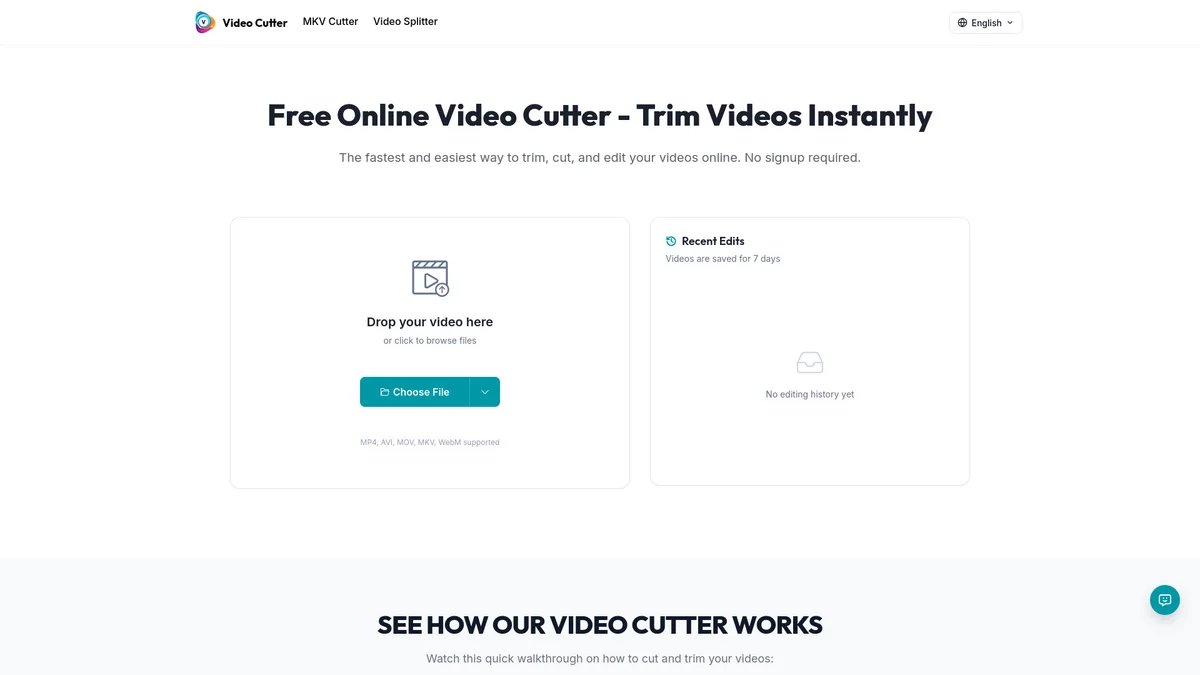
What is Video Cutter?
Video Cutter is a user-friendly online tool designed to help individuals easily trim and edit their videos with just a few clicks. Its primary purpose is to eliminate the hassle of complex editing software, allowing users to cut unwanted sections and create polished video content effortlessly. By supporting popular formats like MP4, AVI, and MOV, Video Cutter addresses the common challenges of video editing, making it a go-to solution for both casual and professional users. The key benefits of Video Cutter include its lightning-fast processing, ease of use, and high-quality output. Users can quickly upload their videos, set precise trim points, and download the edited clips while maintaining the original quality. It's perfect for content creators, marketers, and anyone looking to repurpose longer videos into engaging short clips for social media platforms like TikTok and Instagram, thus enhancing their online presence with impactful content.
Key Features
- No signup or ads required
- Supports multiple video formats
- Fast and easy video trimming
- Quality preservation during export
- Optimized for social media sharing
- Recent edits stored for 7 days
Who is it for?
- Content creators and marketers
- Social media managers
- Business professionals
- Educators and trainers
Use Cases
Social Media Content Creation
Easily trim and edit videos to fit specific platform requirements like TikTok or Instagram Reels. This tool allows users to create engaging content quickly, enhancing their social media presence.
Presentation Clips
Generate short clips from longer videos for use in presentations. Video Cutter helps you extract relevant segments, ensuring your presentations are concise and impactful.
Editing Personal Videos
Trim family videos or travel footage effortlessly to share with friends and family. The easy-to-use interface makes it simple for anyone to edit their videos without technical skills.
Repurposing Long-Form Content
Transform webinars or tutorials into bite-sized clips that can be shared across different platforms. Video Cutter preserves quality while making it easy to extract key moments.
Pricing Plans
Free: Basic video trimming features, Pro: $X/month - Advanced editing features and priority support, Enterprise: Custom pricing - Tailored solutions for larger teams.
Video Cutter Reviews & Ratings
Real user feedback and ratings for Video Cutter. See what the community thinks about this AI tool.
No reviews yet
Be the first to share your experience with Video Cutter